
Navigating Mobile App Development: A Comprehensive Look into Platforms, Tools, and Cross-Platform Solutions
Mobile apps are all over the place, and if you want to create one, you've come to the right place. This guide will help you learn the fundamentals of designing mobile apps, whether you're just getting started or already have an idea.
5/8/20242 min read
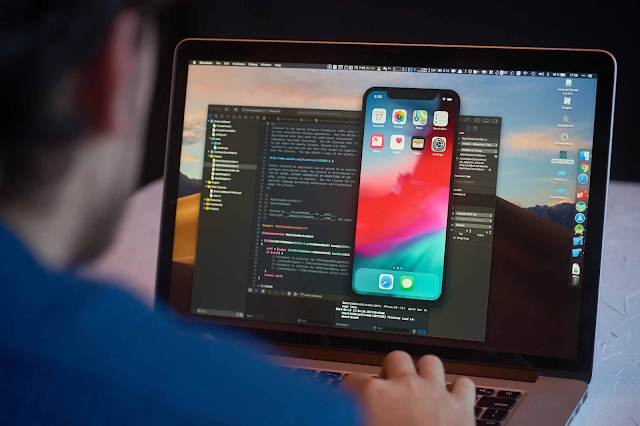

Mobile apps are all over the place, and if you want to create one, you've come to the right place. This guide will help you learn the fundamentals of designing mobile apps, whether you're just getting started or already have an idea. We'll look at several platforms, the tools you'll need, and even how to create an app that works on both iPhone and Android.
Picking the Right Platform:
The first step is deciding where your software will be used. Let's have a look at the primary options:
iOS Development
This applies to Apple products such as iPhones and iPads.
To create iOS apps, you'll want to use Swift or Objective-C.
These apps are submitted to the App Store, where they are reviewed by Apple.
Android Development:
Android apps work on a wide range of devices.
These apps are written primarily in Java and Kotlin.
You'll upload your Android apps to the Google Play Store so that many people can use them.
Cross-Platform Development:
Cross-platform development can let you create a single program that runs on both iOS and Android.
It's a little easier, but these apps aren't always as speedy.
React Native, Flutter, and Xamarin are some good choices for this.
Cross-Platform Development: An Overview
This is a way to to develop apps that are compatible with both iOS and Android. Let's take a look at how it works:
React Native:
Made by Facebook, this uses JavaScript to make apps that look and feel like regular ones.
There are numerous tools available to assist you in working more efficiently.
You can see your changes right away with an awesome function called hot-reloading.
Flutter:
Flutter, which was developed by Google, makes use of the Dart programming language.
It lets you in making your apps appear attractive and function correctly on both iOS and Android.
When you use the hot-reloading option, you can swiftly view the changes you made.
Xamarin:
This is owned by Microsoft and creates apps in C#.
A lot of the same code can be used for iOS and Android.
It works well with the Visual Studio tool.
Using the Right Tools
You need the right tools to create great apps. Here's what you need to know:
IDEs (Integrated Development Environments):
Xcode (iOS): This is the primary tool for developing iOS applications.
Android Studio (Android): This is what you'll use to create Android apps.
Visual Studio (Xamarin): This is the tool to use if you choose Xamarin.
Version Control and collaborating:
Git: Think of it as a code history book that keeps track of changes.
GitHub, GitLab, and Bitbucket: These are online spaces where you and your team can collaborate on code.
Conclusion:
Making apps does not have to be difficult. Whether you choose iOS, Android, or cross-platform development, each decision has an impact on the future of your app. Remember that practice and understanding your tools are the keys to success as you explore app development. It makes no difference whether you choose one platform or go cross-platform; you're on your way to creating something amazing in the world of mobile apps.
Prepare to create and enjoy yourself!